
080 782 4266 💸 - Free delivery over R10,000 to main centres only. Outlying areas subject to courier rates.
Technical Support
Contact Us








E-Mobility

Reliable EV charging infrastructure across South Africa
We provide electric vehicle charging stations, fast chargers, and smart ev charging solutions with 24/7 network monitoring for public networks and commercial sites across South Africa.
We make EV charging reliable for public networks and business sites across South Africa.

Find EV charging stations near you in South Africa
- Locate nearby EV charging stations and charging points across South Africa
- filter by connector type, charging speed and availability
- start or stop charging remotely and track sessions
- tap to pay and wallet payments
- reserve a charger (coming soon)

Charge card for EV charging stations and public chargers
Use tap to pay at participating public EV chargers in South Africa and link your card to the Rubicon Charge app. Manage cards for teams, set spend limits and access consolidated billing and receipts.
Key points:
- works across participating chargers in the Rubicon network
- links to the app for live session data and receipts
- enable/disable cards and assign to drivers
- consolidated billing for fleets

Install commercial EV charging stations at your business
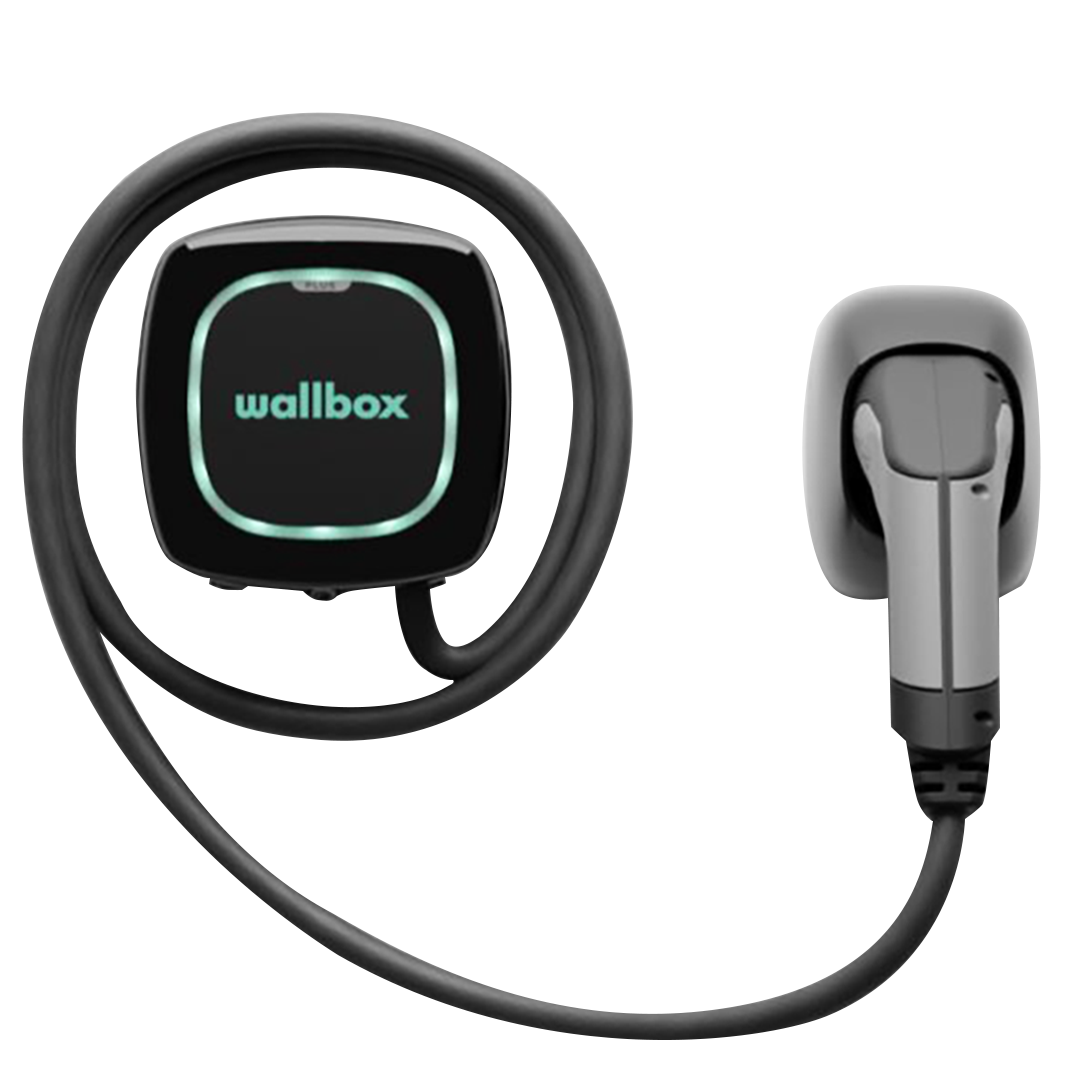
Rubicon operates premium EV charging networks using brands like Wallbox and Autel. We manage the full lifecycle from installation and setup to 24/7 network monitoring, billing and driver support.
- end-to-end deployment and commissioning
- 24/7 network monitoring and uptime management
- dynamic tariff configuration and billing
- app and charge card access for drivers
- integration with solar PV and energy systems
- branding and white-label options

Partner to deploy public charging stations across South Africa
We work with automotive brands, property developers and agencies to roll out reliable EV charging infrastructure across South Africa. Choose Rubicon to operate managed EV charging networks and support your customers.
- network operation and billing
- roaming and payment integrations
- analytics and performance dashboards
- technical and customer support
How it works
Step 1
Step 2
Step 3
Step 4
Trusted EV charging network in South Africa
1000+
100+
10+
Stay informed on South Africa’s e-mobility shift
View all e-mobility articles
What is load management in EV charging – and why is it essential for your site?

Credit card payments now accepted at Rubicon EV charging stations – a first in SA

EV charging tariffs in South Africa: What you’ll pay to power your electric vehicle
EV Collection
See CollectionFrequently Asked Questions
Public Charging
Our chargers can be found on the live map on our mobile app or on this interactive map: Rubicon Charge - Maps
Charge sessions can be initiated directly from the Rubicon Charge mobile app – By clicking on 'Locations', selecting your location, then selecting your chosen connector at that location, then the "Start Charge" option will appear.
- Using RFID card: Connect your EV to the charger, then tap your RFID card on the NFC/RFID card reader.
- Credit card/debit card payment options are available at select charge points.
We charge R7.00/kWh for DC charging and R5.88/kWh for AC charging. Other locations might offer higher/lower tariffs depending on the agreement with the host. The cost of charging can be seen on each connector on the Rubicon Charge mobile app.
Charger operating hours depend on the operating hours of the host.
Rubicon offers public charging facilities for Type 2 connectors for AC charging and CCS2 connectors for DC charging.
Some charge points will require you to have your own charging cable.
- On the mobile app: Charge sessions can be initiated directly from the Rubicon Charge mobile app – By clicking on 'Locations', selecting your location, then selecting your chosen connector at that location, then the "Start Charge" option will appear.
- Using RFID card: Connect your EV to the charger, then tap your RFID card on the NFC/RFID card reader.
- On the Mobile app: Click on 'Charge' to access your live charge session, the option to stop charging will be visible.
- Using RFID card: Tap your RFID card on the NFC/RFID card reader, The charge session will stop and then you may remove the charging cable.
Your digital wallet can be topped-up by clicking on 'Wallet' on the mobile app, the option to 'Top-Up' will appear. Payments can be made either by credit/debit card or EFT.
To request a charge card, you can send your request to: charge@rubiconsa.com
Your previous charge sessions can be viewed on the mobile app by clicking on the hamburger menu at the top-left corner of the screen. Then select 'Charging History'.
Credit card/debit card payment options are available at select charge points.
To pay using your credit/debit card where the facility is available, you must first connect your EV to the charger, then pay the requested pre-authorization amount.
Please contact support for assistance with stopping credit/debit card charge sessions.
Please contact our support team immediately at charge@rubiconsa.com with your transaction details.
Home Charging
Contact our team to discuss your home charging needs and we'll help you select the right charger for your requirements.
Tethered chargers come with a permanently attached cable, while untethered chargers require you to use your own cable. Tethered chargers are more convenient, while untethered chargers offer more flexibility.
- 1 Phase, 7.4kW output
- 3 Phase 11kW output
- 3 Phase 22kW output
Business Charging
Our business solutions team can help you assess your needs and recommend the right charging infrastructure for your business. Contact us for a consultation.
Yes, our business charging solutions allow you to set and collect tariffs from users. Contact our team to learn more about revenue-sharing options.
- Choosing a selection results in a full page refresh.